Wendy’s Delivery Guide 2026: How to Order & Delivery Apps
Looking for the easiest way to order Wendy’s Delivery?
Wendy’s Delivery lets you get your favorite burgers, fries, and drinks delivered right to your door. But many customers are confused about which app to use, how much delivery costs, and how to find the best deals.
In this guide, you’ll learn how Wendys Delivery works, where to order, delivery fees, and simple tips to save money on every order or visit for the full Wendy’s menu.
Wendy’s Delivery Menu
What’s actually on the Wendy’s delivery menu? Good news: almost everything you’d order at the counter.
Wendy’s organizes its menu into clear categories, and most of them carry straight over to delivery. Here’s the full lineup you’ll find when you open the app.
|
Category |
What’s Inside |
|
Combos & Meal Deals |
Classic Chicken Sandwich Combo, Dave’s Combo, Baconator Combo, Biggie Bag |
|
Hamburgers |
Jr. Hamburger, Jr. Cheeseburger, Dave’s Single, Dave’s Double, Dave’s Triple, Baconator |
|
Chicken |
Spicy Chicken Sandwich, Crispy Chicken Sandwich, Asiago Ranch Chicken Club, Grilled Chicken Wrap |
|
Nuggets & Tenders |
Classic Nuggets, Saucy Nuggs, 3 PC and 4 PC Chicken Tenders |
|
Apple Pecan Salad, Caesar Salad, Cobb Salad, Taco Salad |
|
|
Fries & Sides |
Natural-Cut Fries, Baconator Fries, Chili Cheese Fries, Chili, Baked Potato |
|
Frosty & Desserts |
Chocolate Frosty, Vanilla Frosty, seasonal Frosty Swirls and Frosty Fusions |
|
Coffee & Beverages |
Hot Coffee, Cold Brew, soft drinks, lemonade, iced tea |
|
Breakfast |
Breakfast Baconator, Croissant Sandwiches, Biscuits, Breakfast Burrito, seasoned potatoes |
|
Bakery |
Cookies, brownies, cinnamon pastries |
|
Kids’ Meal |
Smaller portions of burgers or nuggets with a side and a drink |
How to Order Wendy’s Delivery
Ordering Wendys delivery is simpler than it looks. There are really only two paths.
Path 1: Order directly from Wendy’s
Open the Wendy’s app or go to wendys.com. Enter your address. Pick your food. Before you check out, you’ll see a small toggle for Pickup or Delivery. Tap Delivery.
Here’s a fact most people miss: even when you order this way, your food is actually delivered by DoorDash behind the scenes. Wendy’s “direct” delivery and DoorDash are, quietly, the same engine.
Path 2: Order through a delivery app
Open DoorDash, Uber Eats, Grubhub, or Postmates. Type in your address. Search “Wendy’s.” Pick your nearest location and start adding items.
Both paths get you the same burgers. The difference is in the small print fees, perks, and rewards. We’ll break that down next.
|
Step |
What You Do |
|
1 |
Open the Wendy’s app, wendys.com, or any delivery app |
|
2 |
Enter your delivery address (or tap “use current location”) |
|
3 |
Choose your nearest participating Wendy’s |
|
4 |
Toggle to “Delivery” instead of “Pickup” |
|
5 |
Build your order and check out |
Wendy’s Delivery Partners Compared
Wendy’s works with several delivery apps, but each one offers different fees, deals, and benefits. Choosing the right app can help you save money and get your food faster.
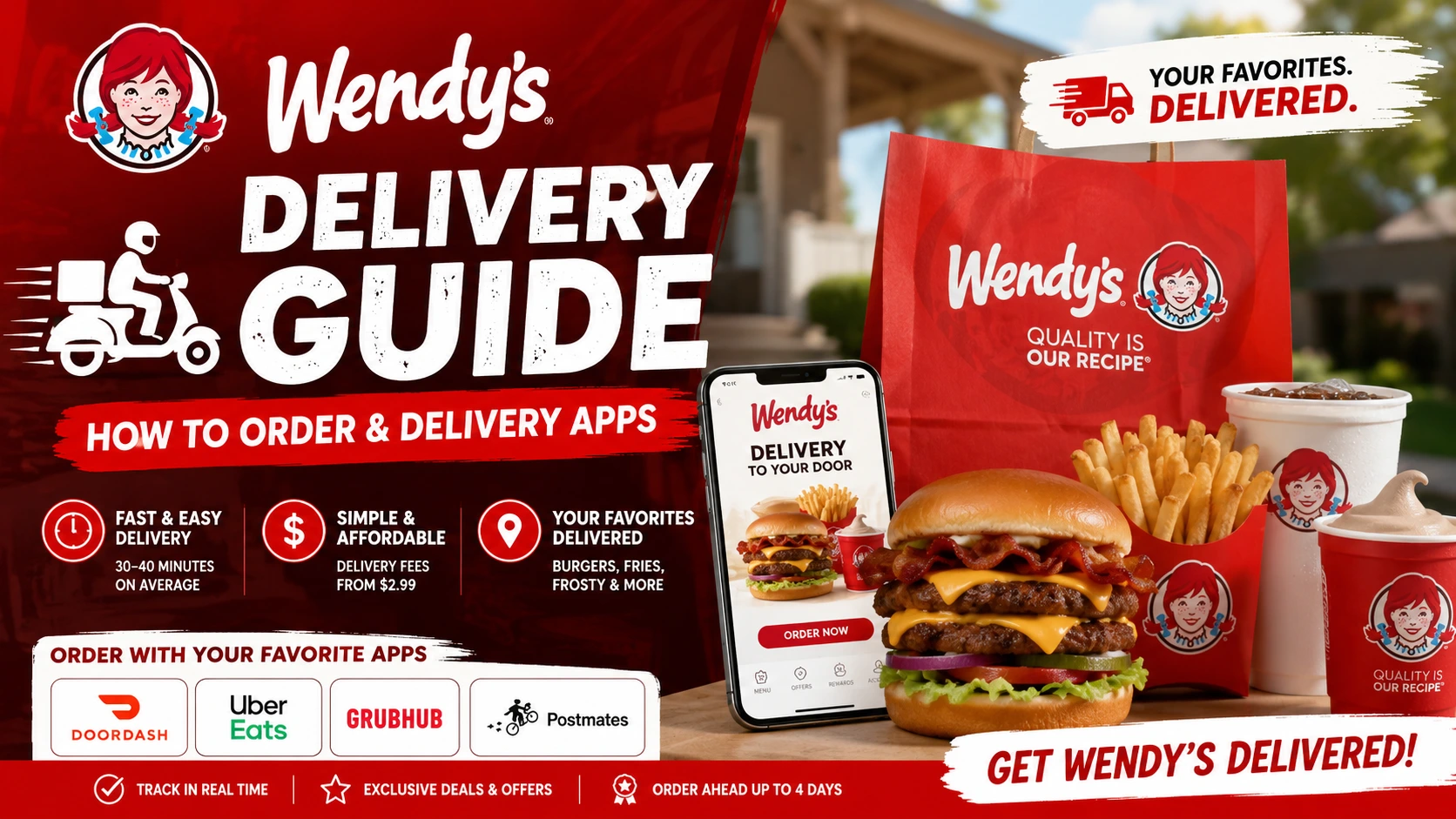
The most common Wendys delivery partners are DoorDash, Uber Eats, Grubhub, and the Wendy’s app, which uses third-party delivery services behind the scenes.
|
Platform |
Best For |
Key Perk |
|
DoorDash |
Most locations, most reviews |
DashPass (free delivery on eligible orders); $0 delivery fee on your first order |
|
Uber Eats |
Uber riders, bundling trips |
Frequent app-only promo codes |
|
Grubhub |
Hunting for a specific deal |
Grubhub+ free delivery subscription |
|
Postmates |
Backup when others are unavailable |
Same delivery network as Uber Eats |
Wendy’s Delivery Fees
Wendys delivery fees typically range from $2.99 to $5.99, depending on your location and the delivery service you choose. In addition to the delivery fee, most orders include a service fee, taxes, and an optional tip for the driver. In many cases, total delivery-related charges fall between $5 and $10.
Delivery costs vary by provider:
The easiest way to see your exact delivery cost is to enter your address and review the checkout page before placing your order.
Read Also: Wendy’s Customer Service Number & Email 2026: Full Guide
How Long Does Wendy’s Delivery Take?
Most Wendys delivery orders arrive within 30 to 40 minutes, though delivery times can vary based on several factors.
|
Factor |
Effect on Delivery Time |
|---|---|
|
Distance from Restaurant |
Longer distance may increase wait time |
|
Traffic & Weather |
Poor conditions can slow delivery |
|
Restaurant Busy Hours |
High order volume may increase prep time |
|
Driver Availability |
Fewer drivers can cause delays |
The good news is that most delivery apps let you track your order in real time, so you can see exactly when your food is on the way.
Wendy’s Delivery Hours
Wendy’s delivery hours usually match the operating hours of your local restaurant. Most locations start delivery in the morning and continue until late evening, while some restaurants offer delivery until midnight or later.
|
Service |
Typical Delivery Hours |
|---|---|
|
Breakfast Delivery |
6:30 AM – 10:30 AM |
|
Lunch & Dinner Delivery |
10:30 AM – 10:00 PM |
|
Late-Night Delivery |
Available at select locations |
Since hours vary by location, the easiest way to check availability is through the Wendy’s app or your preferred delivery app. You’ll only see delivery options when a nearby Wendy’s is open and accepting orders.
How to Order Wendy’s Delivery on DoorDash
Craving a Baconator without leaving your couch? DoorDash makes it simple to get Wendy’s delivered straight to your door. Here’s how to place an order in just a few steps.
Steps to order:
How Wendy’s Delivery Works on the App
Do you want a wendy’s delivery without a third-party app? Ordering directly through the Wendy’s app is the fastest way to get your food and rack up Rewards points at the same time.
Steps to order delivery on the Wendy’s app:
Wendy’s App delivery vs. third-party apps
|
Feature |
Wendy’s App |
Third-Party Apps (DoorDash, Uber Eats, Grubhub, Postmates) |
|
Earns Rewards points |
Yes |
No |
|
Customize order |
Yes |
Yes |
|
Real-time tracking |
Yes |
Yes |
|
Gift cards accepted |
No |
No |
|
Average delivery time |
30–40 minutes |
30–40 minutes |
Read Also: Latest Wendy’s Sauces Menu with Calories & Salad Dressing
FAQs
Can I get Wendy’s delivered to me?
Yes, you can order breakfast, lunch or dinner for delivery through the Wendy’s app, wendys.com, or any of Wendy’s delivery partners at participating locations.
How do I find out which Wendy’s locations deliver to me?
Open the Wendy’s app and enter your delivery address, or enter your address in any delivery app and search “Wendy’s.” Nearby participating locations will show up automatically.
Do I earn Rewards points on delivery orders?
No, you don’t earn Wendy’s Rewards points on delivery orders. This includes orders placed through the Wendy’s app, website, and third-party apps like DoorDash, Grubhub, and Uber Eats.
Rewards and in-app offers only work for pickup orders. Even then, points may not apply to discounted items.
Can I order coffee or hot tea for delivery?
Yes, both hot coffee and hot tea are available for delivery.
Are all menu items available for delivery?
Not always. Availability depends on your location, so check your local menu in the app to confirm an item is included.
Is there a delivery fee?
Yes, most delivery orders include more than just the food price. You’ll usually pay local taxes, a delivery fee, a service fee, and an optional driver tip. Menu prices can also be slightly higher than in-store.
The final total depends on your location and any ongoing promotions, but you’ll always see the full breakdown before checkout in the app.
Can I pay with a Wendy’s gift card?
No, gift cards can’t be used on delivery orders.
How long does delivery take?
About 30–40 minutes on average, though it can shift depending on driver availability.
What if something’s wrong with my order?
For orders placed through the Wendy’s app or website, contact DoorDash support at +1 (855) 552-5444. For orders placed directly through a delivery partner, reach out to that partner: DoorDash, Grubhub, Postmates, or Uber Eats support.